Recently, I had the opportunity to work on a project where I implemented Bing ads and Meta ads tracking for a Custom-made website using Google Tag Manager (GTM). The assignment was to track slot booking confirmation using Google Tag Manager (GTM) to enable accurate data collection for Bing Ads and Meta Ads campaigns. This will provide insightful metrics for improving ad targeting and measuring the effectiveness of marketing efforts..
Here’s a detailed step-by-step account of the process I followed:
1. Set Up Google Tag Manager (GTM)
- Create a GTM Account: I created a new GTM account and added a Web container .
- Install GTM on Website: installed the GTM on Website, I inserted the GTM container code into the
<head>and<body>sections of the theme file.
2. Data Layer Implementation:
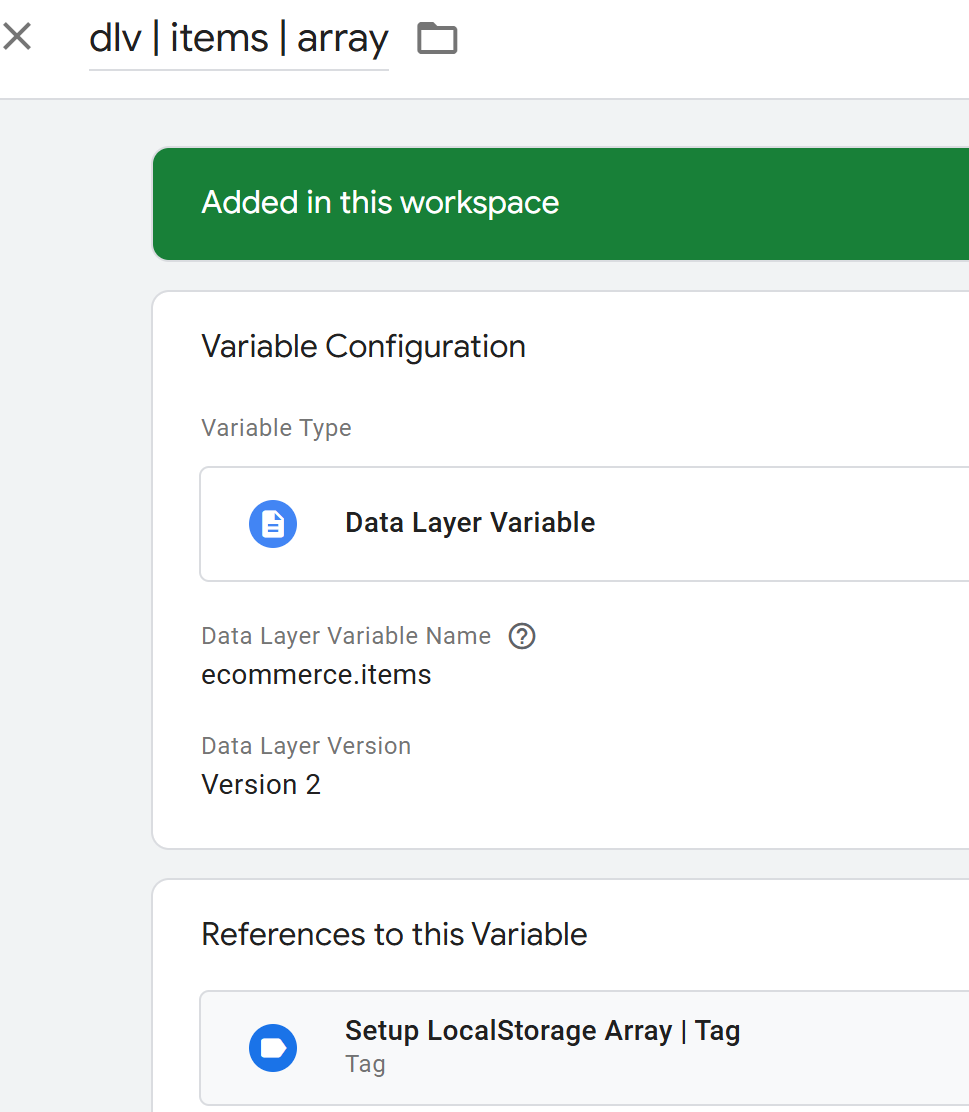
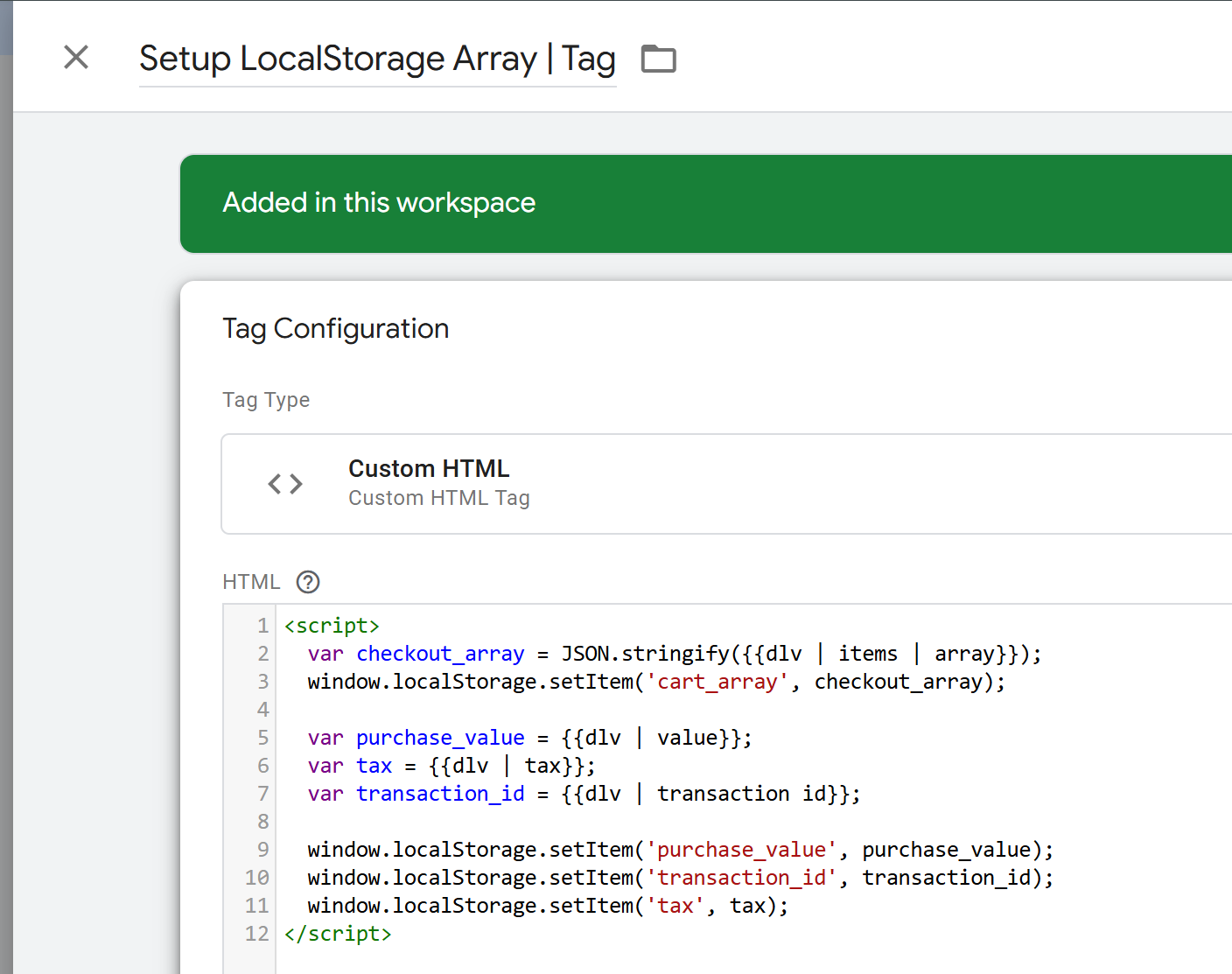
- Define Data Layer Variables: Worked to define necessary data layer variables to capture slot booking details, such as booking ID, slot time, and user information.
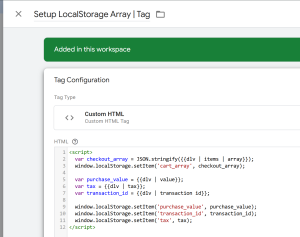
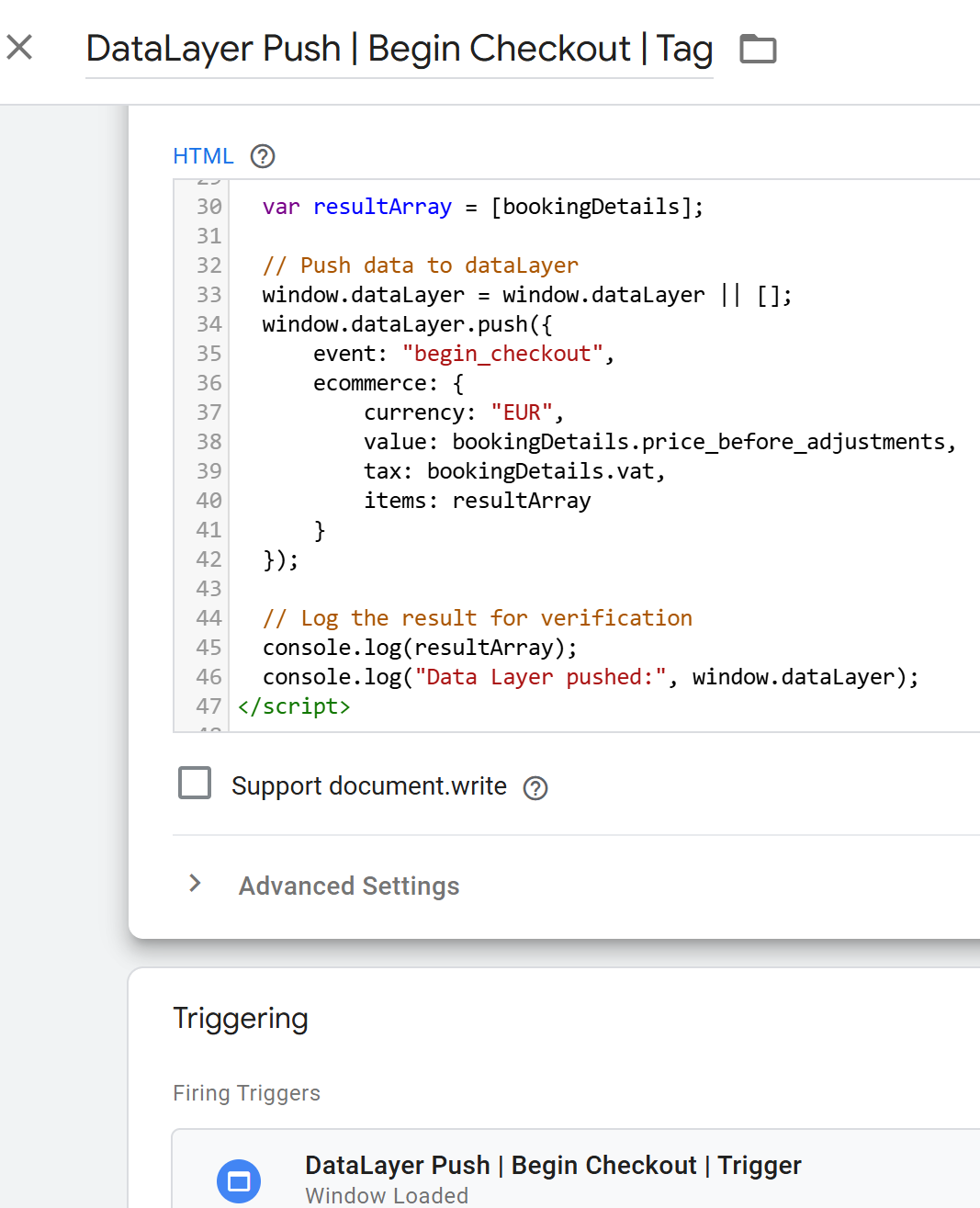
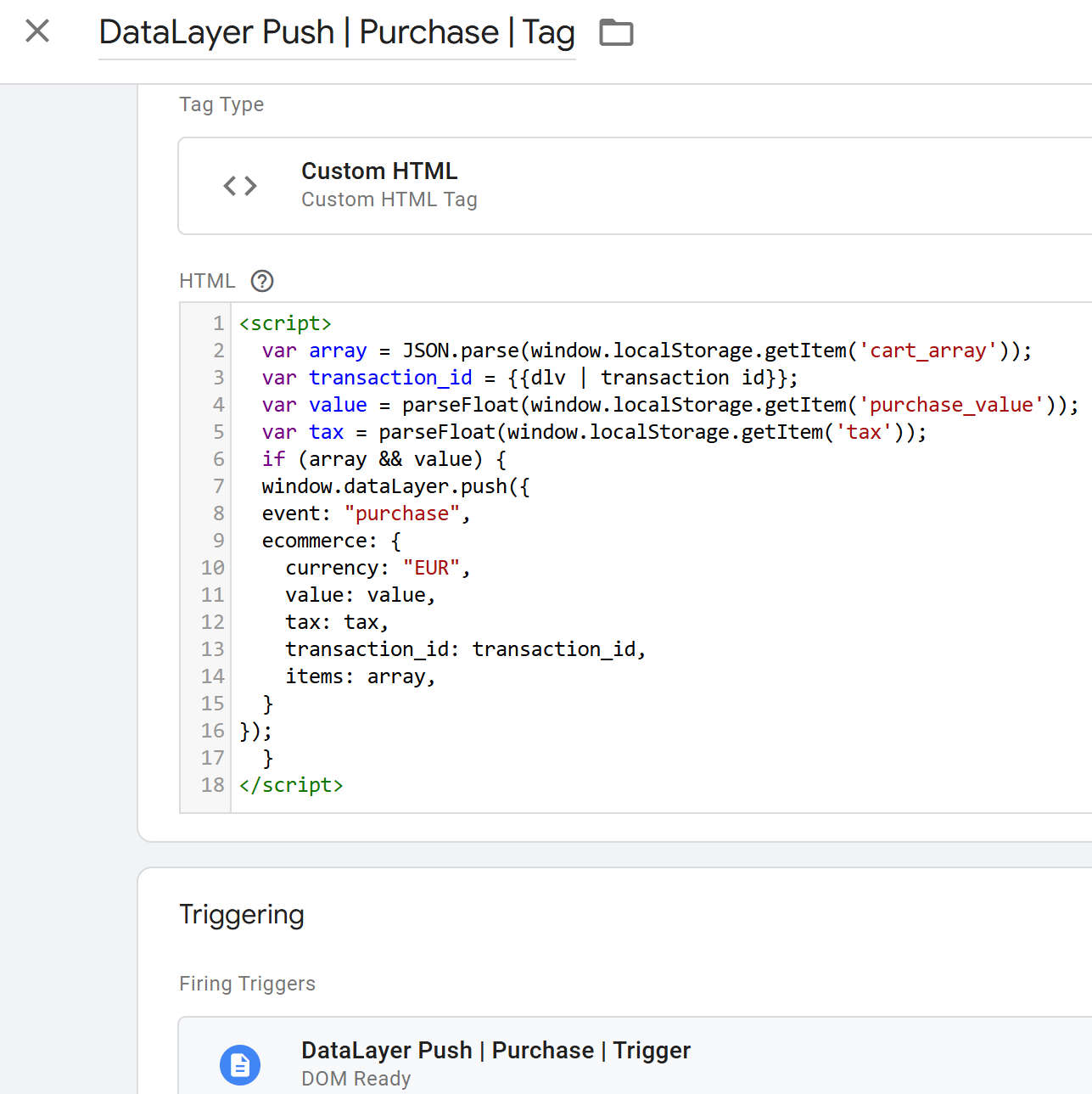
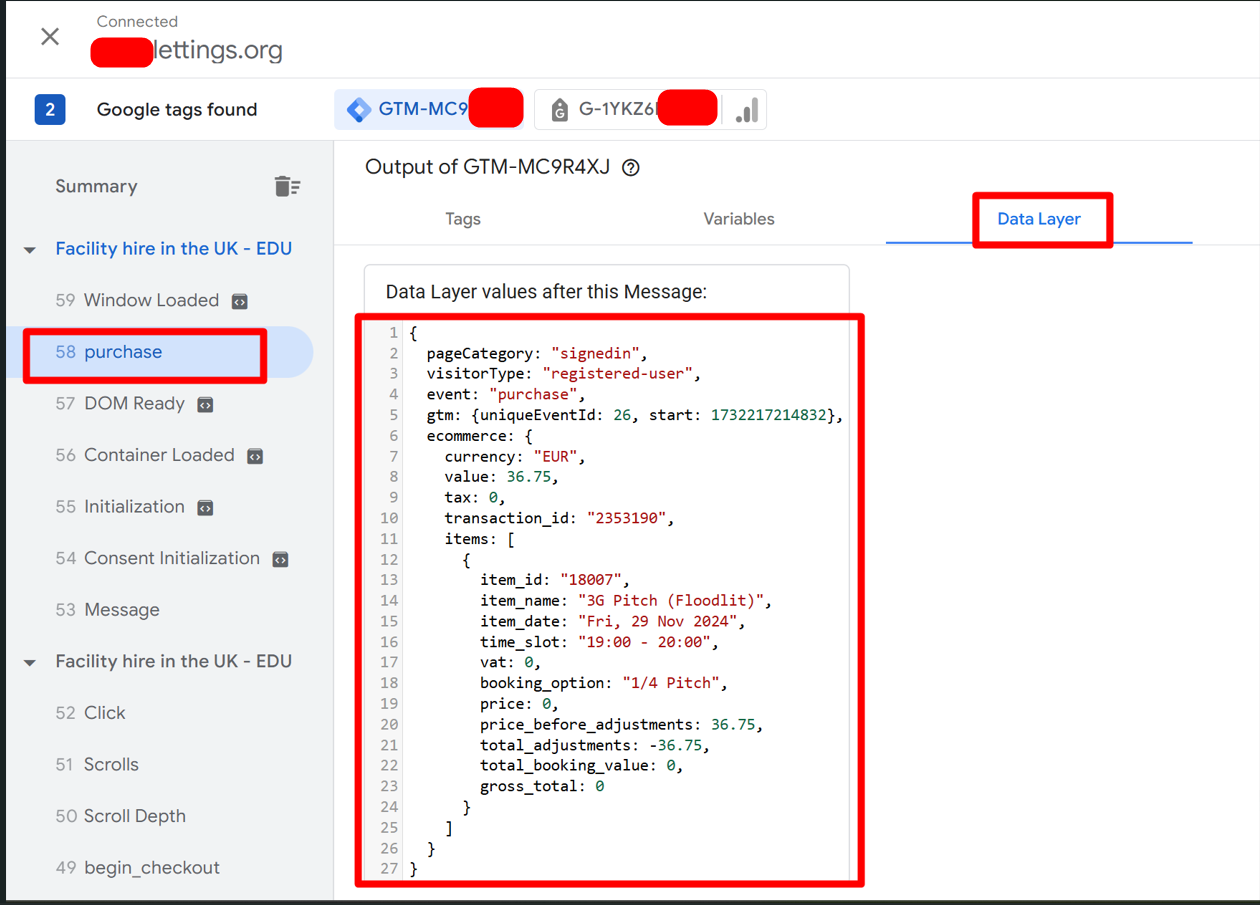
- Push Data to Data Layer: Implemented code to push slot booking confirmation data into the data layer upon successful booking completion.

3. Tag Configuration for Bing Ads Tracking:
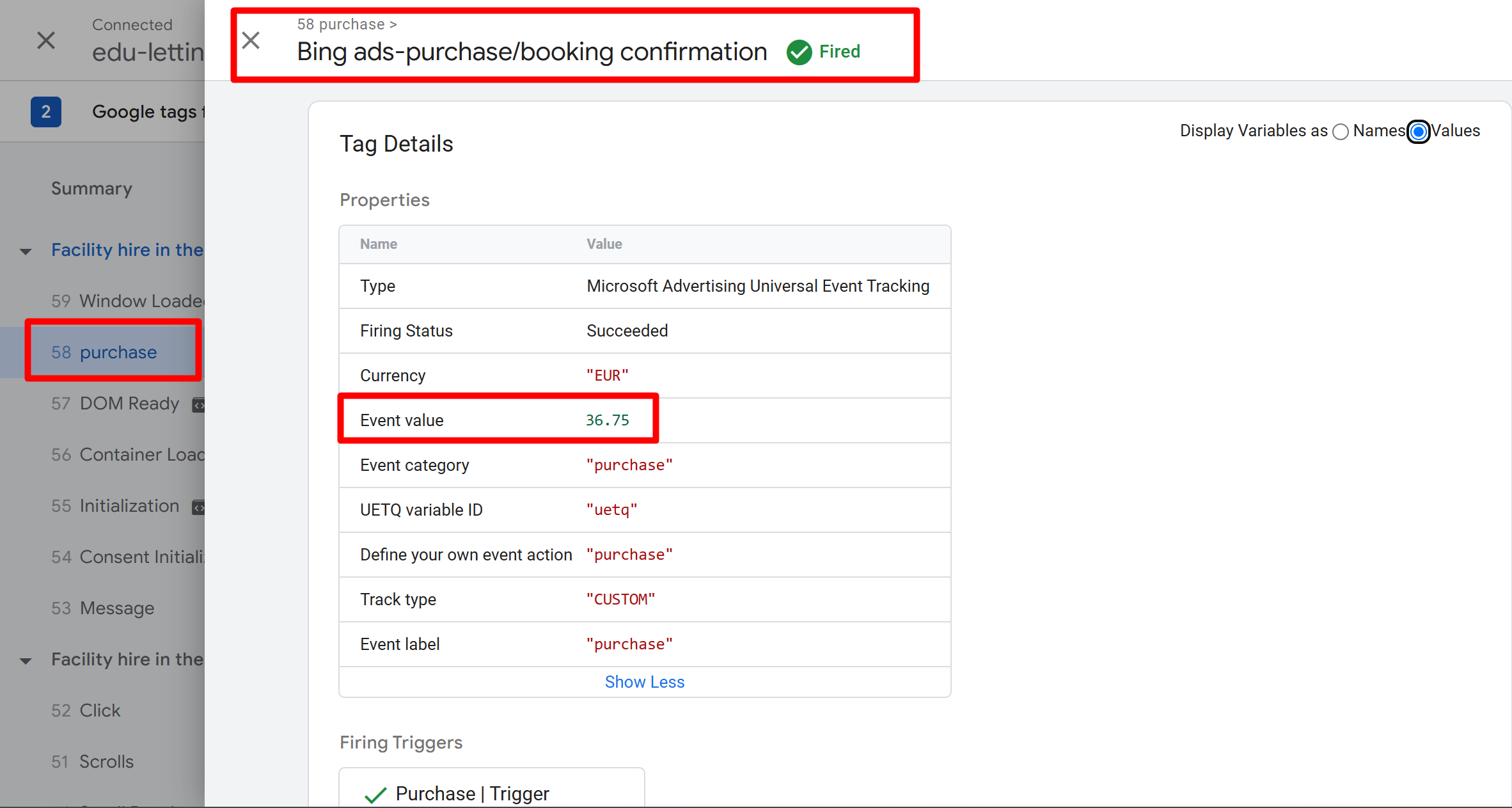
- Create Bing Ads Conversion Tag: In GTM, created a new tag for Bing Ads conversion tracking.
- Enter Conversion ID and Label: Entered the Bing Ads conversion ID and label required for tracking slot booking confirmations.
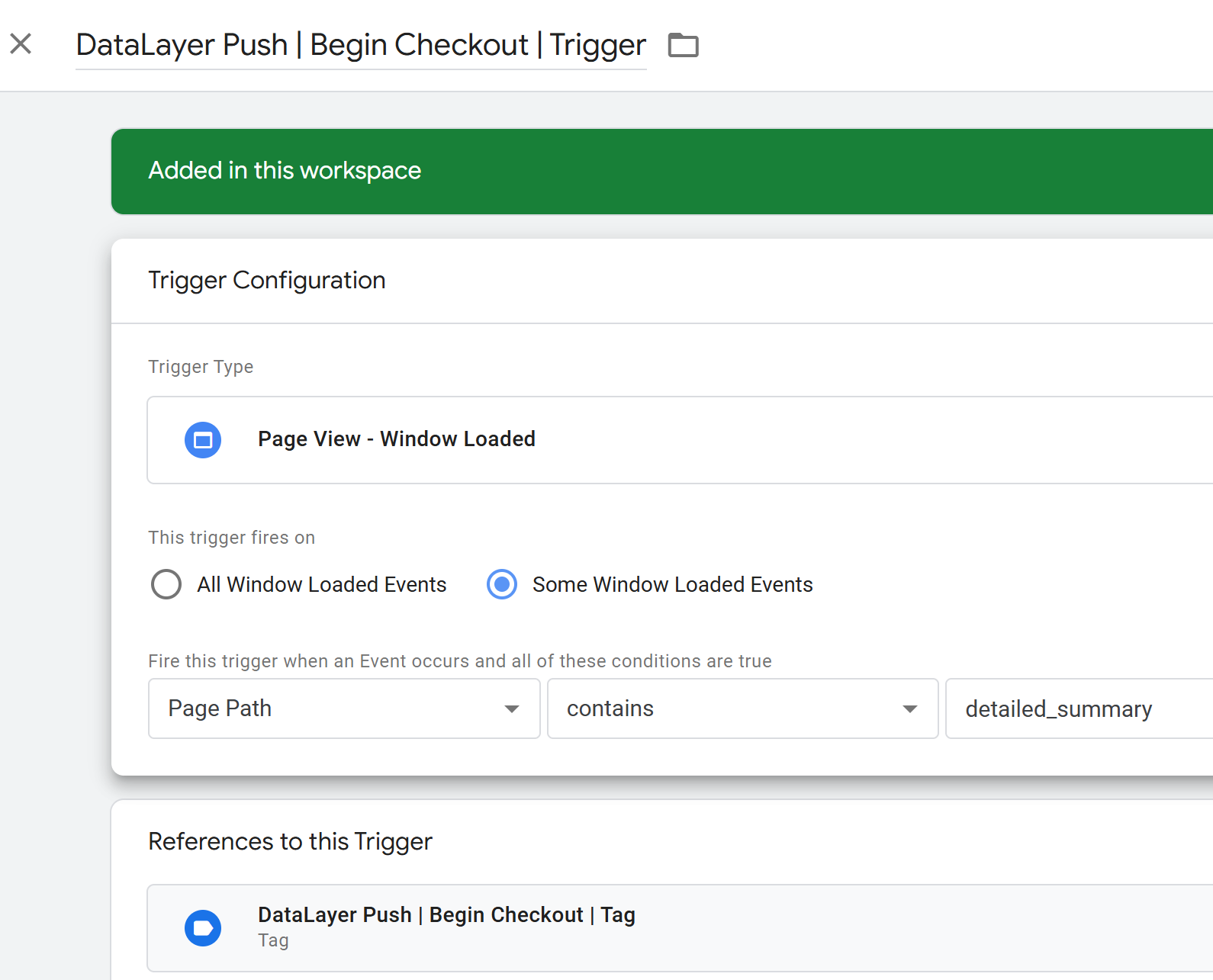
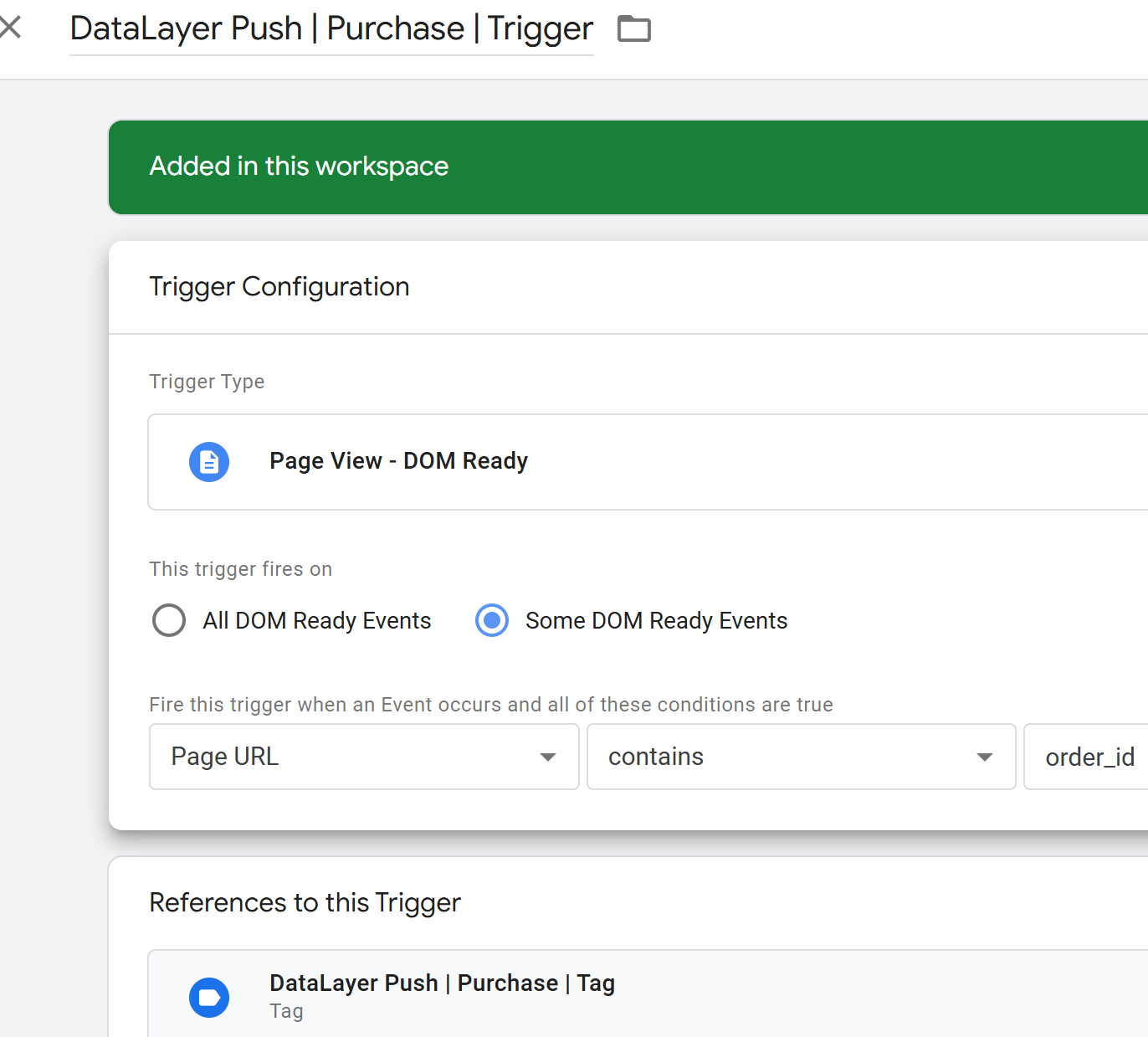
- Set Trigger: Configured the trigger to fire the tag when the data layer event for slot booking confirmation is pushed.
4. Tag Configuration for Meta Ads Tracking:
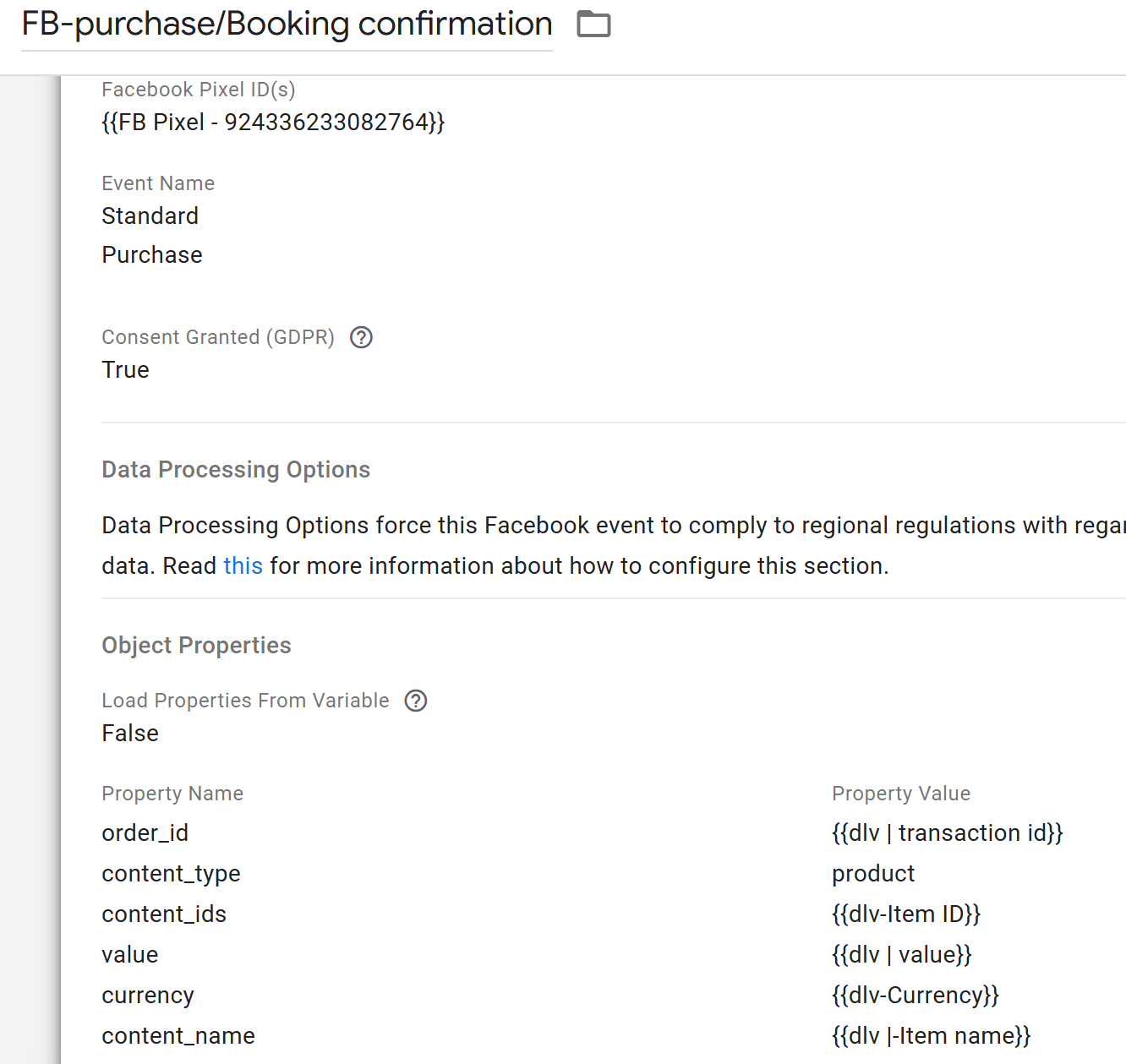
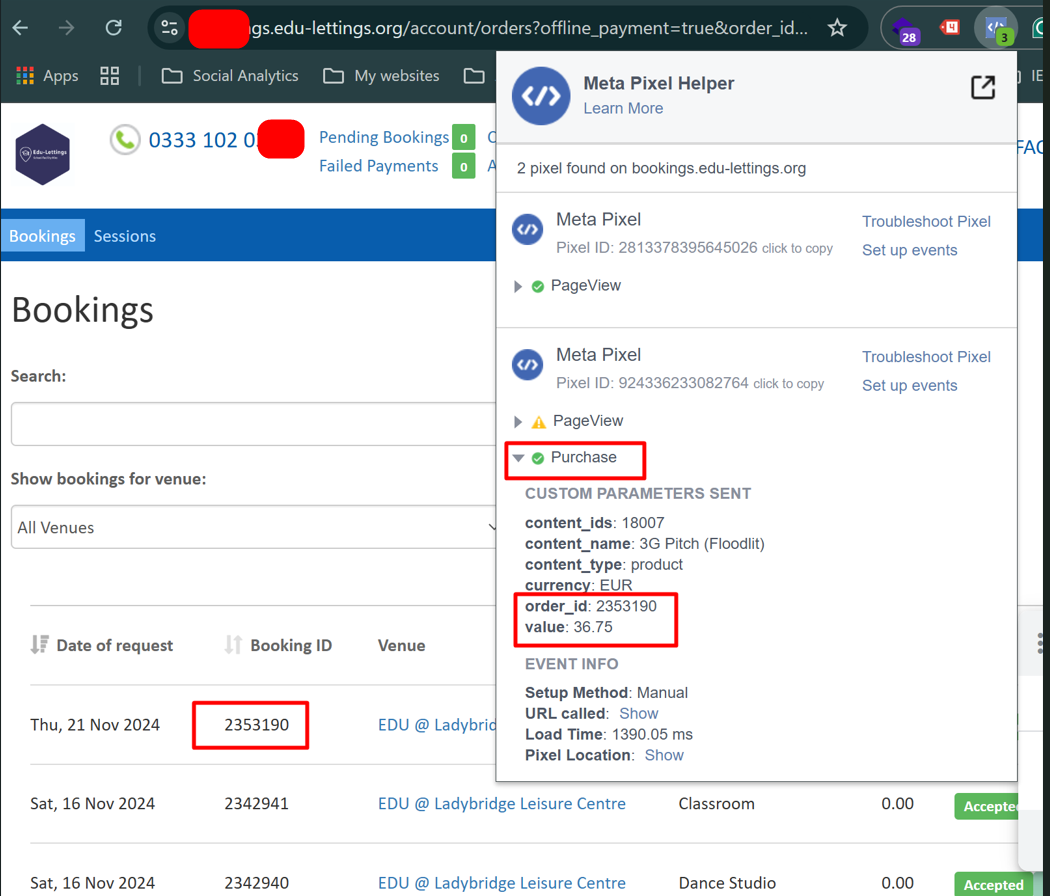
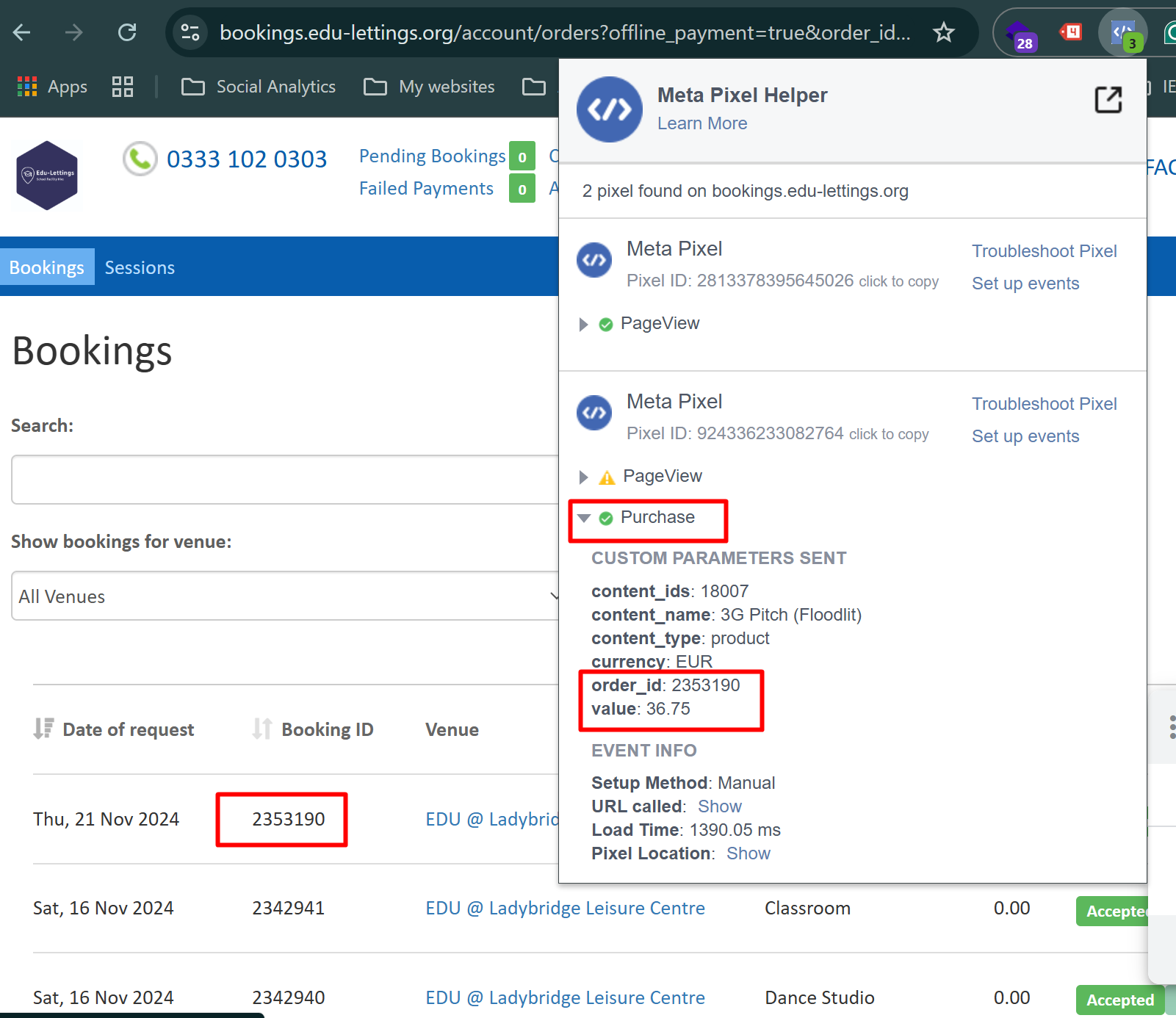
- Create Meta Pixel Tag: In GTM, created a new tag for Meta Ads tracking using the Meta Pixel (formerly Facebook Pixel).
- Enter Pixel ID: Entered the Meta Pixel ID associated with the client’s Meta Ads account.
- Set Trigger: Configured the trigger to fire the tag when the data layer event for slot booking confirmation is pushed.
5. Testing and Validation:
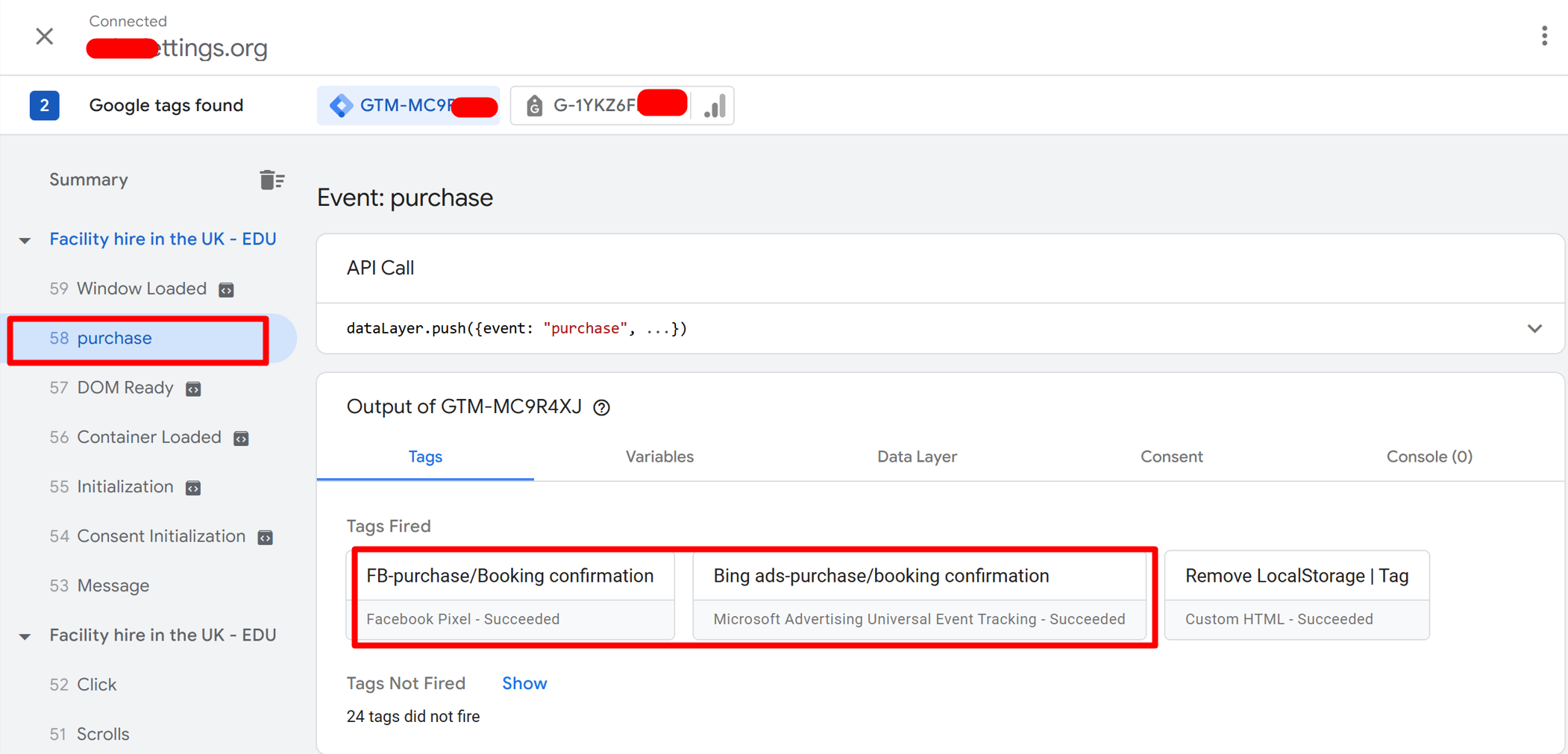
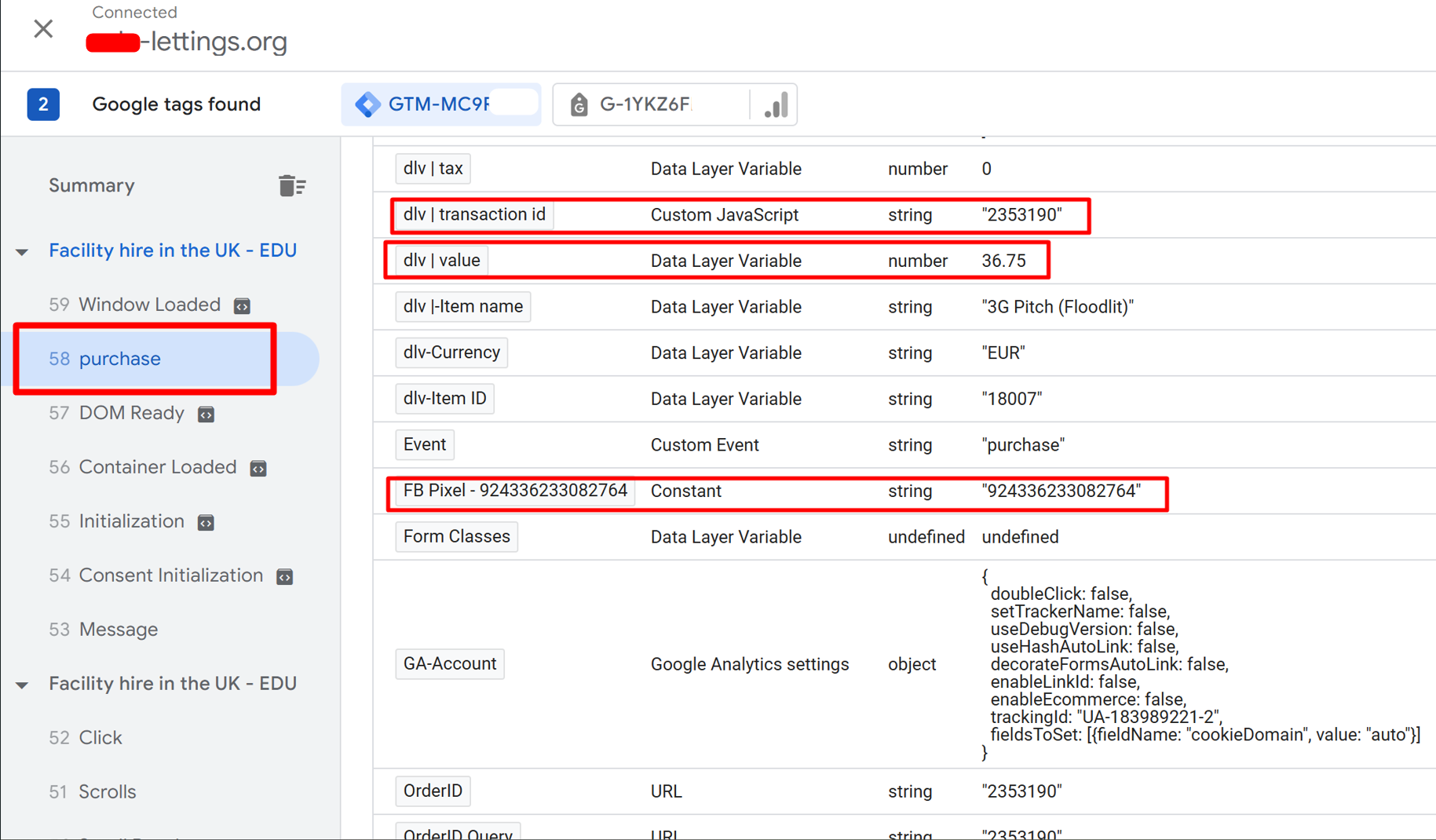
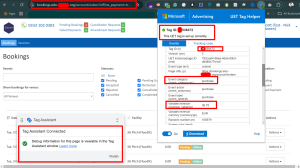
- GTM Preview Mode: Used GTM’s preview mode to test the setup, ensuring that tags and triggers fired correctly upon slot booking confirmation.
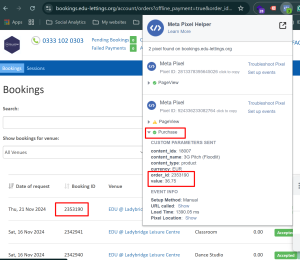
- Real-Time Reports: Monitored real-time reports in Bing Ads and Meta Ads dashboards to verify that conversions were being recorded accurately.
6. Publish and Monitor:
- Review Configuration: After thorough testing and validation, reviewed all tags, triggers, and variables for accuracy.
- Publish Container: Published the GTM container to make the tracking setup live.
- Ongoing Monitoring: Regularly monitored Bing Ads and Meta Ads reports to ensure continuous data accuracy and optimize ad targeting based on collected data.
Outcome: Successfully implemented slot booking confirmation tracking on the custom-made website, enabling accurate measurement of conversions from Bing Ads and Meta Ads campaigns. This provided valuable insights into user behavior and the effectiveness of marketing strategies, leading to improved ad targeting and increased ROI for the client.
Tools & Technologies Used:
- Google Tag Manager (GTM)
- Data Layer
- Bing Ads Conversion Tracking
- Meta Ads (Meta Pixel/Facebook Pixel)